Gemini 3's bounding box generation is better than every OCR engine I've tested
Gemini 3 can return bounding box coordinates for OCR - and on documents I've had sitting in my "unsolvable" folder for years, it jumped from sub 10% accuracy (best prior LLM) to ~95%. I wasn't in a rush to try it (we've been pretty much stagnant on bbox progress since 4o), but this is quite shocking. It actually handles complex layouts: multi-column text, tables spanning pages, footnotes - and with enough accuracy to be useful.
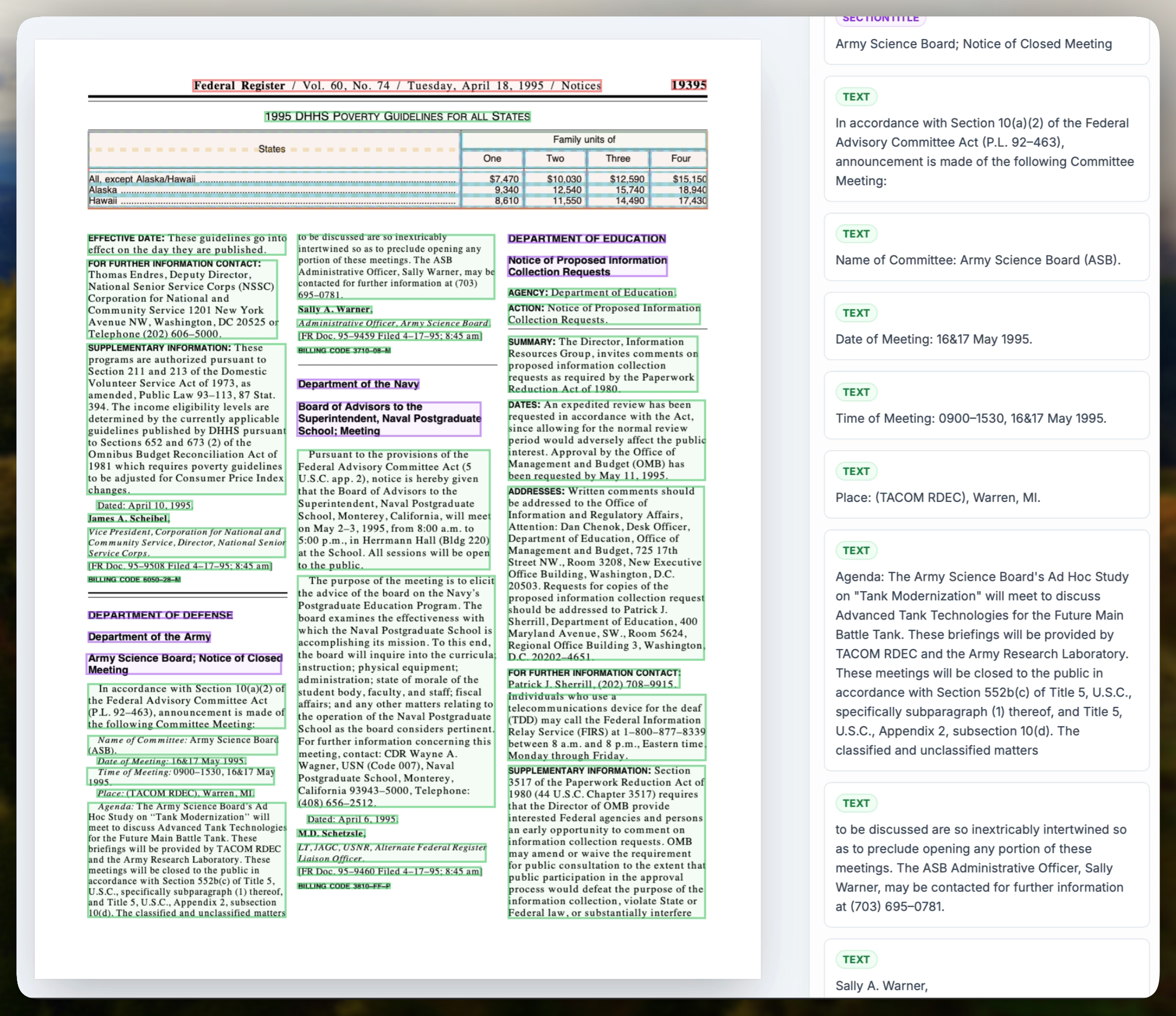
I had Gemini make me a small OCR app in AI Studio - you can play with it here: AI Studio OCR App. Fair warning though - pricing is rough, about 10k tokens (5k in, 5k out) or ~$0.10 per complex page.
Some background:
LLMs have been getting increasingly better at text extraction (see recent discussions on ancient texts, OCR Arena) - arguably for the past 6 months they've been better than traditional engines. However they've been hopeless at understanding spatial positioning - making them simply unusable for many use cases.
That said, traditional engines also have problems. Big problems. Try a multi-page table, multi-column text, diagrams, footnotes, handwriting - I've spent more time than I'm proud to admit with all of the existing engines and none of them are >95% in layout accuracy.
So this is really rather exciting. Not because Gemini is significantly greater than 95% (it isn't), but because we've gone from sub 10%→95% in a single model, now I've got some hope.
It reminds me of the buzz around "emergent capabilities" after GPT-4 dropped. Perhaps Gemini 3 has had OCR tasks built in its training data, or maybe it's just a side effect of the new vision system they've built. Either way I'm keen to see what the full release of Gemini 3 Pro can do.
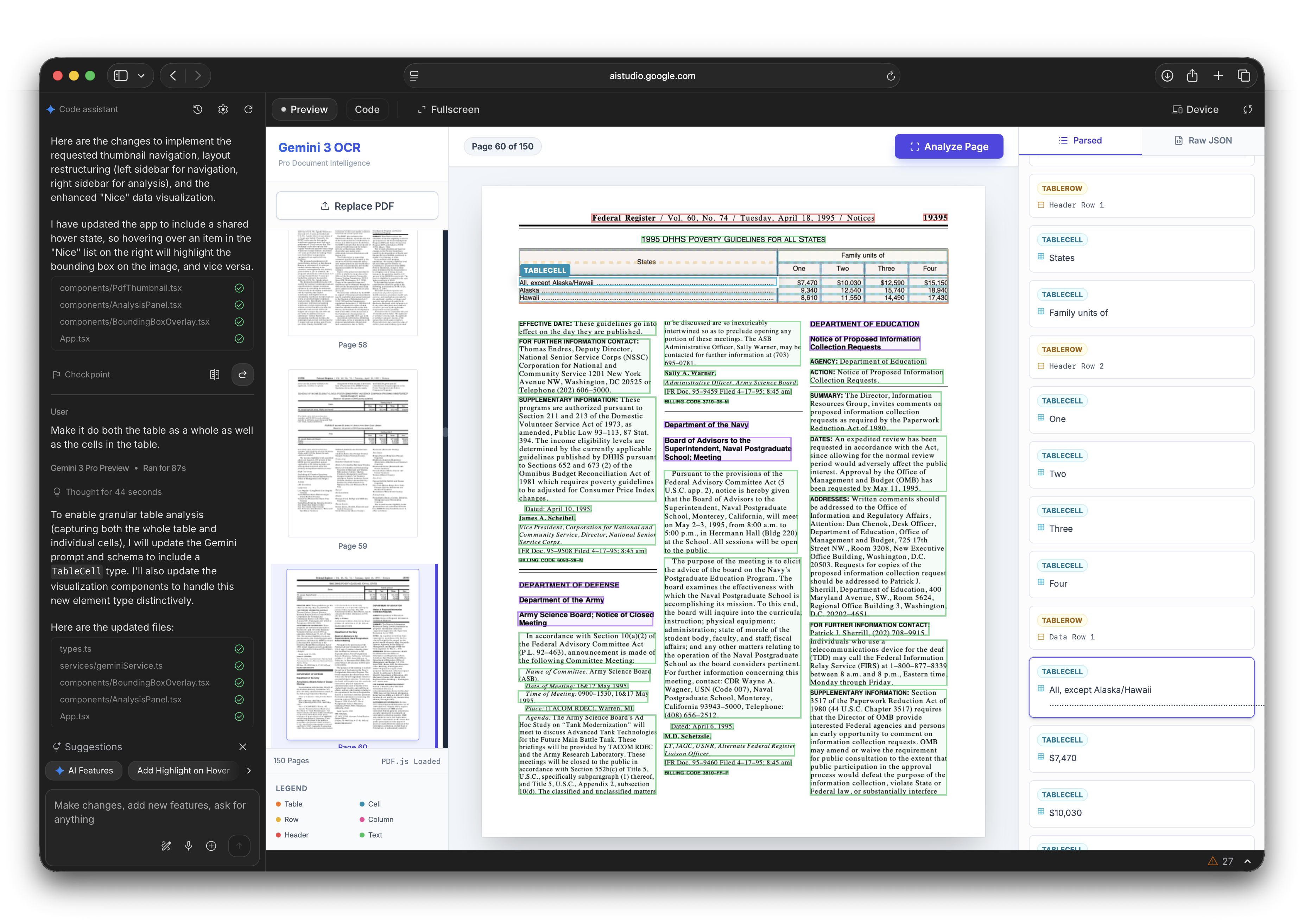
Some notes on getting the best results:
- I have found mentioning box_2d and the range to help in my prompts i.e. mention something like:
The box_2d should be [ymin, xmin, ymax, xmax] normalized to 0-1000 - Even for a complex page such as this I have only been using the default media quality setting
MEDIA_RESOLUTION_UNSPECIFIEDwhich burns 560 tokens per pdf page. I haven't found I've needed more but you may want to try using_HIGH(1120 tokens) or_ULTRA(2240 tokens) for really complex cases. - I also tried Gemini 3 Flash - it performs roughly to the same mean but with far higher variance, to the point I couldn't trust it.